AWS Provider Guide
在 AWS EC2 实例上运行 osmedeus cloud 的分步指南
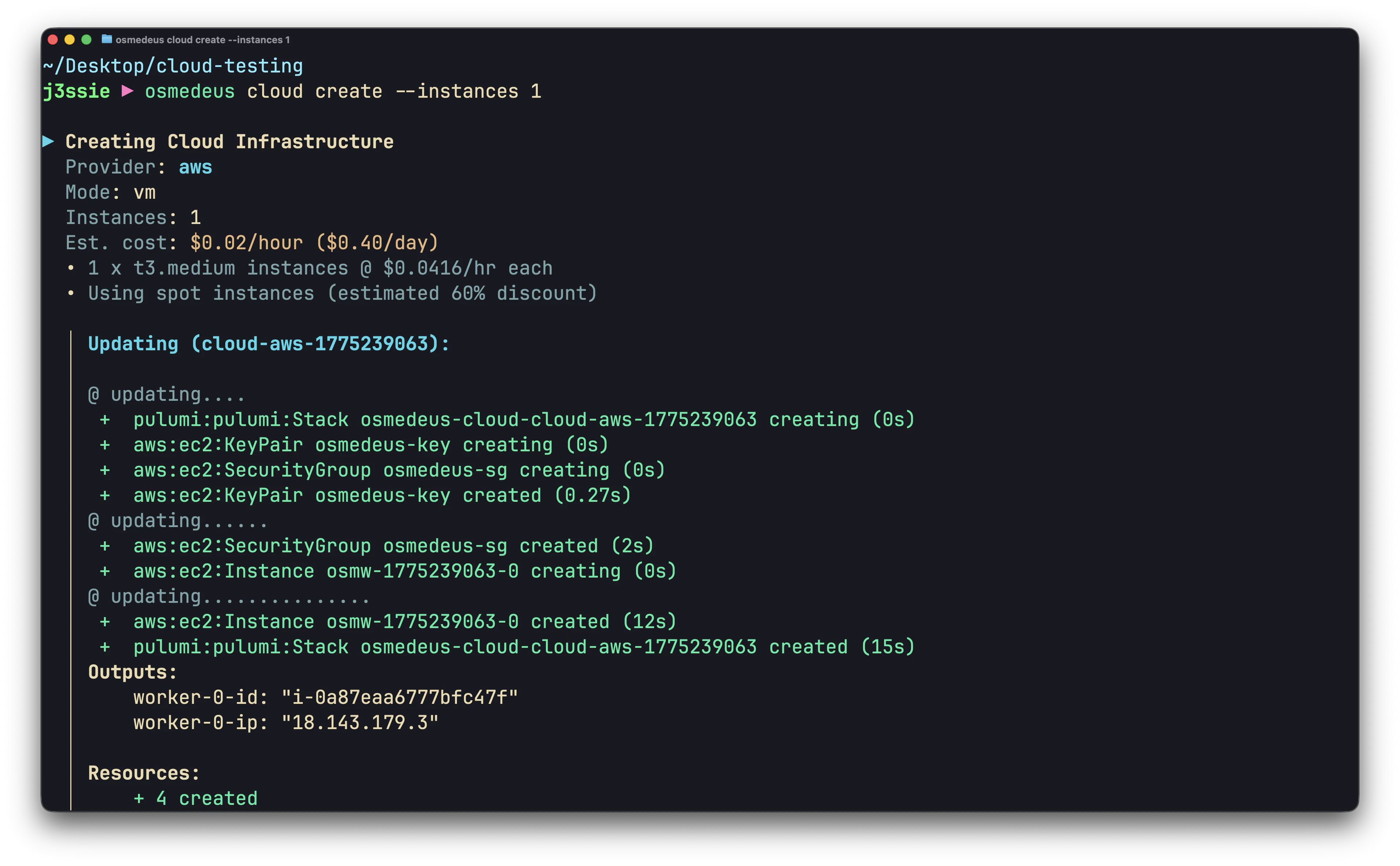
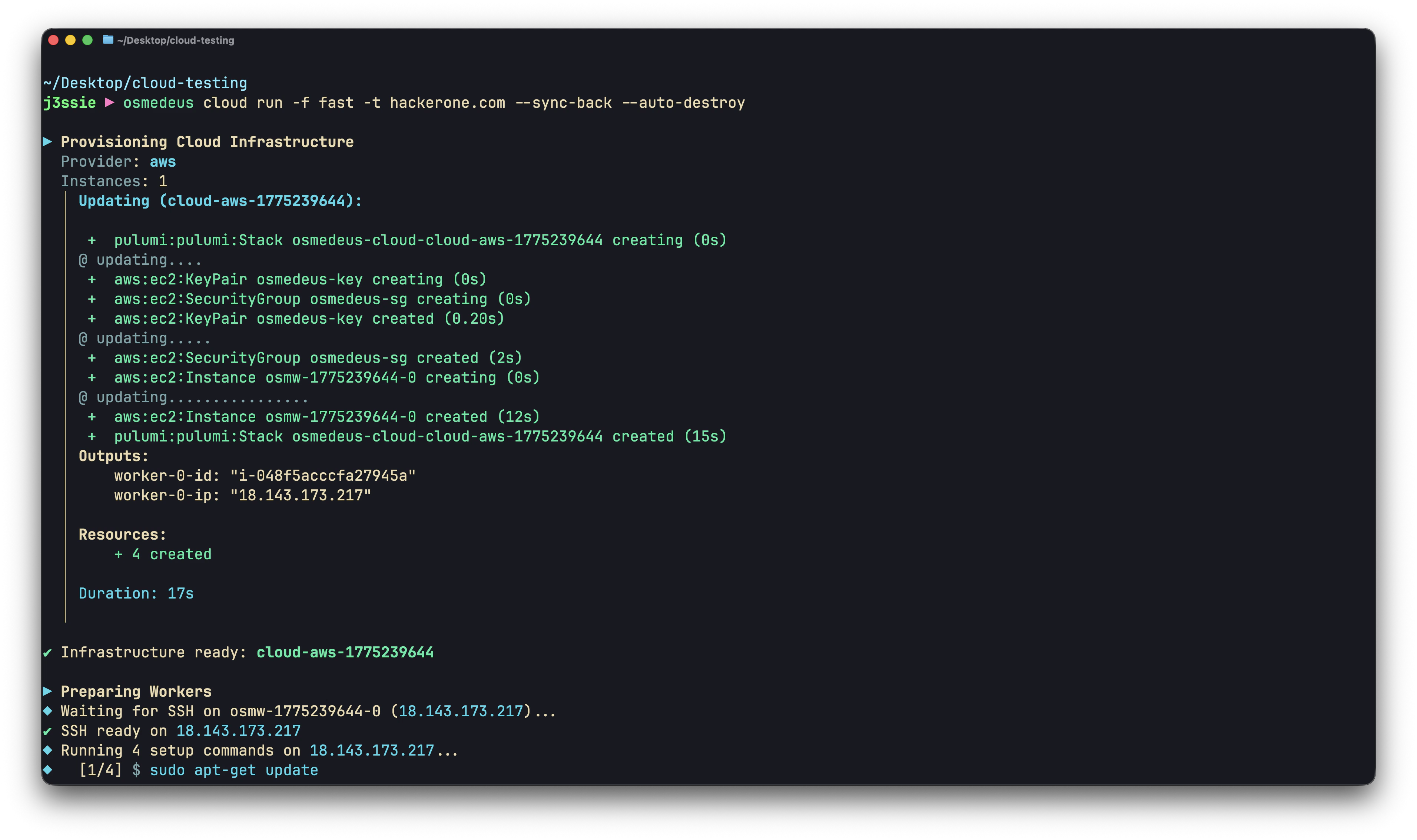
在 AWS EC2 实例上运行 osmedeus cloud 的分步指南。
Prerequisites
- 一个 AWS 账户
- 一个具有 EC2 权限的 IAM 用户或角色
- 一个 SSH 密钥对(本地
~/.ssh/id_rsa和~/.ssh/id_rsa.pub)
Required IAM Permissions
IAM 用户需要以下权限(或使用 AmazonEC2FullAccess 托管策略):
ec2:RunInstances
ec2:TerminateInstances
ec2:DescribeInstances
ec2:DescribeImages
ec2:CreateSecurityGroup
ec2:AuthorizeSecurityGroupIngress
ec2:DeleteSecurityGroup
ec2:DescribeSecurityGroups
ec2:ImportKeyPair
ec2:DeleteKeyPair
ec2:DescribeKeyPairs
ec2:CreateTags
Get Your Credentials
- 前往 IAM 控制台 > 用户 > 选择你的用户
- 安全凭证 标签页 > 创建访问密钥
- 保存 访问密钥 ID 和 秘密访问密钥
或者,如果已为 AWS CLI 配置,则使用环境变量:
export AWS_ACCESS_KEY_ID=<YOUR_AWS_ACCESS_KEY_ID>
export AWS_SECRET_ACCESS_KEY=<YOUR_AWS_SECRET_ACCESS_KEY>
Configuration
Minimal Setup
# 启用云功能
osmedeus config set cloud.enabled true

# 凭证
osmedeus cloud config set providers.aws.access_key_id ${AWS_ACCESS_KEY_ID}
osmedeus cloud config set providers.aws.secret_access_key ${AWS_SECRET_ACCESS_KEY}
osmedeus cloud config set providers.aws.region ap-southeast-1
osmedeus cloud config set defaults.provider aws

# SSH
osmedeus cloud config set ssh.private_key_path ~/.ssh/id_rsa
osmedeus cloud config set ssh.public_key_path ~/.ssh/id_rsa.pub
osmedeus cloud config set ssh.user ubuntu

# 先清空设置脚本
osmedeus cloud config set setup.commands.clear ""

# Worker 设置
osmedeus cloud config set setup.commands.add "sudo apt-get update"
osmedeus cloud config set setup.commands.add "sudo apt-get install -y -qq curl git tmux unzip jq rsync"
osmedeus cloud config set setup.commands.add "curl -fsSL https://www.osmedeus.org/install.sh | bash"
osmedeus cloud config set setup.commands.add "osmedeus health"
Instance Types
| 实例类型 | vCPU | 内存 | 按需价格 ($/hr) | 竞价实例价格 ($/hr, ~70%折扣) | 最佳用途 |
|---|---|---|---|---|---|
| t3.medium | 2 | 4 GB | \$0.0416 | \~\$0.012 | 轻量扫描,单个目标 |
| t3.large | 2 | 8 GB | \$0.0832 | \~\$0.025 | 常规扫描 |
| t3.xlarge | 4 | 16 GB | \$0.1664 | \~\$0.050 | 重型扫描,大量目标列表 |
| t3.2xlarge | 8 | 32 GB | \$0.3328 | \~\$0.100 | 并行流水线 |
Spot Instances
竞价实例成本比按需低 60-80%。它们可能被中断,但对于安全扫描(无状态,可重试)来说没问题。
Regions
选择一个靠近目标或价格最低的区域:
| 区域 | 位置 | 代码 |
|---|---|---|
| 美国东部(弗吉尼亚北部) | 美国 | us-east-1 |
| 美国西部(俄勒冈) | 美国 | us-west-2 |
| 欧洲(法兰克福) | 欧洲 | eu-central-1 |
| 欧洲(爱尔兰) | 欧洲 | eu-west-1 |
| 亚太地区(新加坡) | 亚洲 | ap-southeast-1 |
| 亚太地区(东京) | 亚洲 | ap-northeast-1 |
| 亚太地区(孟买) | 亚洲 | ap-south-1 |
| 亚太地区(悉尼) | 澳大利亚 | ap-southeast-2 |
Custom AMI
使用预装工具的自定义 AMI 以加快启动速度:
# 查找你所在区域的默认 Ubuntu AMI
# aws ec2 describe-images --owners 099720109477 --filters "Name=name,Values=ubuntu/images/hvm-ssd/ubuntu-*-amd64-*" --query 'sort_by(Images, &CreationDate)[-1].ImageId'

# 或者使用你自己的预构建 AMI
osmedeus cloud config set providers.aws.ami ami-0123456789abcdef0
Cost Limits
osmedeus cloud config set limits.max_hourly_spend 1.00
osmedeus cloud config set limits.max_total_spend 10.00
osmedeus cloud config set limits.max_instances 10
Examples
Quick Domain Recon
成本:约 $0.04(1 个 t3.medium x 1 小时)
Large-Scale Subdomain Enumeration
# targets.txt:每行一个域名
osmedeus cloud run -f general -T targets.txt --instances 5 --sync-back --auto-destroy
成本:约 $0.42(5 个 t3.medium x 2 小时)
Custom Nmap Scan
osmedeus cloud run \
  --custom-cmd "nmap -sV -sC {{Target}} -oA /tmp/osm-custom/nmap" \
  --sync-path "/tmp/osm-custom/" \
  -t example.com --auto-destroy
Distributed Nuclei Scanning
osmedeus cloud run \
  --custom-cmd "cat {{Target}} | nuclei -o /tmp/osm-custom/results.txt" \
  --sync-path "/tmp/osm-custom/results.txt" \
  --sync-dest "./nuclei-aws" \
  -T urls.txt --instances 10 --auto-destroy
成本:约 $0.42(10 个 t3.medium x 1 小时)
Spot Instance Pipeline
# 配置竞价实例
osmedeus cloud config set providers.aws.use_spot true
osmedeus cloud config set providers.aws.instance_type t3.large

# 低成本运行重型扫描
osmedeus cloud run \
  --custom-cmd "subfinder -d {{Target}} -all -o /tmp/osm-custom/subs.txt" \
  --custom-cmd "cat /tmp/osm-custom/subs.txt | httpx -td -o /tmp/osm-custom/live.txt" \
  --custom-cmd "cat /tmp/osm-custom/live.txt | nuclei -o /tmp/osm-custom/nuclei.txt" \
  --sync-path "/tmp/osm-custom/" \
  -t example.com --auto-destroy
成本:约 $0.025(1 个 t3.large 竞价实例 x 1 小时)
Persistent Recon Campaign
# 一次性创建实例(节省后续运行的设置时间)
osmedeus cloud create --provider aws -n 3

# 全天运行扫描
osmedeus cloud run -f fast -t target1.com --reuse
osmedeus cloud run -f fast -t target2.com --reuse
osmedeus cloud run --custom-cmd "nuclei -u target3.com -o /tmp/osm-custom/nuclei.txt" \
  --sync-path "/tmp/osm-custom/" -t target3.com --reuse

# 一天结束时销毁
osmedeus cloud destroy all --force
Multi-Region Scanning
# 从美国区域扫描美国目标
osmedeus cloud config set providers.aws.region us-east-1
osmedeus cloud run -f fast -t us-company.com --auto-destroy

# 从新加坡扫描亚太目标
osmedeus cloud config set providers.aws.region ap-southeast-1
osmedeus cloud run -f fast -t apac-company.com --auto-destroy
Troubleshooting
"UnauthorizedOperation" 错误
你的 IAM 用户缺少所需权限。请附加 AmazonEC2FullAccess 策略或上面列出的最小权限。
Instances Not Starting
# 使用调试输出检查
osmedeus cloud run -f fast -t example.com --debug

# 常见原因:
# - 区域没有可用的实例类型
# - 达到 vCPU 限制(在 AWS 控制台中请求增加限制)
# - 竞价容量不可用(尝试按需或不同区域)
SSH Connection Timeout
Spot Instance Interrupted
竞价实例可能被 AWS 回收。该工作节点的扫描将失败。缓解措施:
- 使用
--auto-destroy清理 - 重新运行失败的目标
- 对关键扫描使用按需实例
Cleaning Up
# 列出所有基础设施
osmedeus cloud list

# 销毁特定
osmedeus cloud destroy <infra-id>

# 核选项
osmedeus cloud destroy all --force

# 如果 osmedeus 状态不同步,直接检查 AWS 控制台:
# EC2 控制台 > 实例 > 按标签 "osmedeus" 过滤
Cost Optimization
- 对所有非关键扫描使用竞价实例(
use_spot: true) - 合理选择实例大小:t3.medium 对于大多数单目标扫描足够
- 始终使用
--auto-destroy以防止遗忘的实例 - 设置成本限制 以捕获失控支出
- 使用自定义 AMI 以减少设置时间(更少的实例小时数)
- 选择最便宜的区域 如果目标地理位置不重要(us-east-1 通常最便宜)